| |
| Author |
Message |
Radioflyer
Joined: 14 Sep 2004
Posts: 92
Location: Kalamazoo, MI
|
 Posted: Fri Oct 08, 2004 7:04 pm Post subject: Thunder Tiger G-200 for 3D |
|
|
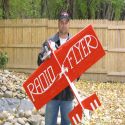
Hey yall, I smashed my Uproar about two weeks ago this is it'sreplacement, hopefully. I haven't flown it yet but I did do alot of mod's as far as making it lighter and beveled edges  I plan to fly it on the TG 46 Pro W/ an APC12.25x3.75. |
|
| Back to top |
|
 |
3dbatixkid
Moderator

Joined: 15 Apr 2004
Posts: 587
Location: Sunnyvale, CA
|
|
| Back to top |
|
|
Radioflyer
Joined: 14 Sep 2004
Posts: 92
Location: Kalamazoo, MI
|
| Posted: Fri Oct 08, 2004 7:19 pm Post subject: |
|
|
Unfortunatlely, Or fortunately, I spend to much time on my planes and not on my computer so I'm not sure how to insert a pic. But with that regard, it's look is much changed. It's also sporting a 3DBATIX.COM logo on an aileron. If you could, give me a discription on getting a picture on this sight. Anyone?
Thanx.
|
|
| Back to top |
|
|
3dbatixkid
Moderator
Joined: 15 Apr 2004
Posts: 587
Location: Sunnyvale, CA
|
|
| Back to top |
|
|
Radioflyer
Joined: 14 Sep 2004
Posts: 92
Location: Kalamazoo, MI
|
| Posted: Fri Oct 08, 2004 7:29 pm Post subject: |
|
|
I hope I'm not stepping on toes, but I make all of my graphics out of monokote. I print it on the computer and cut it out. I'd love to show but can't.
I've got the jpeg but I don't know how to transfer it to the sight.
|
|
| Back to top |
|
|
3dbatixkid
Moderator
Joined: 15 Apr 2004
Posts: 587
Location: Sunnyvale, CA
|
|
| Back to top |
|
|
Radioflyer
Joined: 14 Sep 2004
Posts: 92
Location: Kalamazoo, MI
|
| Posted: Fri Oct 08, 2004 7:34 pm Post subject: |
|
|
| Cool. The Katana looks great. I really appreciate the help with my funtana. Hey can you have Myerick put something on the sight about putting pics up?
|
|
| Back to top |
|
|
Shaun
Joined: 10 Sep 2004
Posts: 188
Location: texas
|
| Posted: Fri Oct 08, 2004 7:45 pm Post subject: |
|
|
Radioflyer-
Try typing your message as normal then...
#1 "browse" under the filename at the bottom of the screen.
after you find the picture you want and click on it.
#2 press the " Add Attachment" button just below the Browse button.
#3 press the "Submit" button.
I hope this is what you meant?
Shaun
_________________
http://www.texomarc.org/ |
|
| Back to top |
|
|
Meyrick
Site Admin
Joined: 15 Apr 2004
Posts: 650
Location: Fremont, CA
|
| Posted: Fri Oct 08, 2004 7:50 pm Post subject: |
|
|
Hi Radioflyer, before you upload a picture, make sure you size it down to 640x480 or max 640 width. You can use any picture editor to size down your pics. Then when you are at the post section, you will see a section called "Add an Attachment". Click on Browse and to browse for your picture file saved on your local hard drive, then you can simply click on submit or add attachment and your picture should be uploaded on the thread.
_________________
--Meyrick-- |
|
| Back to top |
|
|
3dbatixkid
Moderator
Joined: 15 Apr 2004
Posts: 587
Location: Sunnyvale, CA
|
|
| Back to top |
|
|
Radioflyer
Joined: 14 Sep 2004
Posts: 92
Location: Kalamazoo, MI
|
| Posted: Sat Oct 09, 2004 7:11 am Post subject: |
|
|
Here goes 
| Description: |
|
| Filesize: |
51.47 KB |
| Viewed: |
194 Time(s) |

|
|
|
| Back to top |
|
|
Meyrick
Site Admin
Joined: 15 Apr 2004
Posts: 650
Location: Fremont, CA
|
| Posted: Sat Oct 09, 2004 8:04 am Post subject: |
|
|
There you go. That looks awesome.
_________________
--Meyrick-- |
|
| Back to top |
|
|
Chris
Joined: 16 Apr 2004
Posts: 176
Location: Toronto, Canada
|
| Posted: Sat Oct 09, 2004 9:33 am Post subject: |
|
|
thats awesome!  
_________________
-Chris-
3D Foamy |
|
| Back to top |
|
|
3dbatixkid
Moderator
Joined: 15 Apr 2004
Posts: 587
Location: Sunnyvale, CA
|
|
| Back to top |
|
|
Radioflyer
Joined: 14 Sep 2004
Posts: 92
Location: Kalamazoo, MI
|
| Posted: Sat Oct 09, 2004 10:28 am Post subject: |
|
|
Thanx. I love to create designs that are one off. I got this idea from my sons
YuGiOh cards, drew it on giftwrap paper draped over the wings, and then cut it out of Monocote. The words were print off of my computer and then cut out in the same way. It's a long process but the result is gradifing
|
|
| Back to top |
|
|
3Dfanatic
Joined: 15 Apr 2004
Posts: 272
Location: Tacoma(area), WA
|
| Posted: Sat Oct 09, 2004 6:44 pm Post subject: |
|
|
Wow you cut all that out on your own? Impressive! I just tell JohnVH to make me vinyl haha
_________________
-Aaron
cutimages.com
offthewallrc.com |
|
| Back to top |
|
|
Radioflyer
Joined: 14 Sep 2004
Posts: 107
Location: Kalamazoo, MI
|
| Posted: Sun Oct 10, 2004 4:08 pm Post subject: |
|
|
Hey, I got a chance to get it in the air today and this ship flies great I had it a touch nose heavy but it would do walls(upright and inverted), harriers, not very tight waterfalls, and it hovered at half throttle. It would not do a blender the two times I tried, although I'm not going to give up. I did get it to do two revolutions in an inverted flat spin before it fell out(from a hover, not a blender). All in all I beleive I found a replacement for my Uproar. This plane really seems to do the job of a cheap 3D trainer 
|
|
| Back to top |
|
|
Radioflyer
Joined: 14 Sep 2004
Posts: 107
Location: Kalamazoo, MI
|
|
| Back to top |
|
|
| |

